

Tired of Clunky Audio Edits?
An AI Speech Editor promises a revolution. It sounds simple. It sounds powerful. But does it actually deliver?
We cut through the marketing noise. To find the truth, we rigorously tested 15 of the top AI audio tools on the market today.
Some of these platforms focus purely on speech manipulation. Others blend audio magic with video or image editing suites. Yet, they all share one incredibly seductive promise: to make you sound like a seasoned professional, completely effortlessly.
No more staring at complex waveforms. No more painstakingly highlighting microscopic clicks and pops. We evaluated them to see which ones are genuine game-changers, and which ones are just clever parlor tricks. Let’s see which ones truly work.
What Exactly is an
AI Speech Editor?
It is an intelligent digital engine that automates complex speech and audio tasks. Say goodbye to manual trimming and wasted hours.
Think of it as your digital audio engineer. It handles:
It turns spoken words into highly accurate text in seconds. Instead of editing an audio track, you simply delete words in a document, and the audio seamlessly cuts itself to match.
Generate human-like speech entirely from typed text. Whether creating a voiceover from scratch or cloning your own voice to fix a mistake you forgot to record.
Enhances vocal clarity and can intelligently neutralize heavy accents, ensuring your message is universally understood by a global audience without losing its authenticity.
Erases background hums, traffic noise, echo, mouth clicks, and plosives with a single click. It transforms a bad smartphone recording into studio-quality sound.
Simple? Absolutely. Revolutionary? Without a doubt.
Who Actually Needs This?
It is not just for audio engineers or tech experts. Real professionals are utilizing this daily.
🎙️ Podcasters & Broadcasters
Fix messy recordings and automatically strip out awkward pauses, “ums,” and “ahs.” You can sound highly polished and reclaim hours of post-production editing time.
👔 Presenters & Educators
Perfect your speeches and lectures. Remove stumbles and ensure your audio is crisp and accessible, ensuring your audience remains engaged with the content, not distracted by the audio quality.
🎬 Content Creators
Generate professional voiceovers from scratch without needing a quiet room or an expensive $500 microphone. Simply type your script and let the AI bring it to life.
🧠 Therapists & Medical Professionals
Utilize advanced speech tools to help patients speak clearly, analyze vocal patterns, and meticulously track therapeutic progress over time.
💻 Software Developers
Build robust applications integrated with highly responsive voice commands, conversational UI, and accessibility features that adapt seamlessly to human nuances.
A speech enhancer promises incredible efficiency. A traditional audio editor promises granular control. But modern Voice AI promises to merge the two—giving you total creative freedom at the speed of thought.
MyVoice – Speech Assistant 🗣️
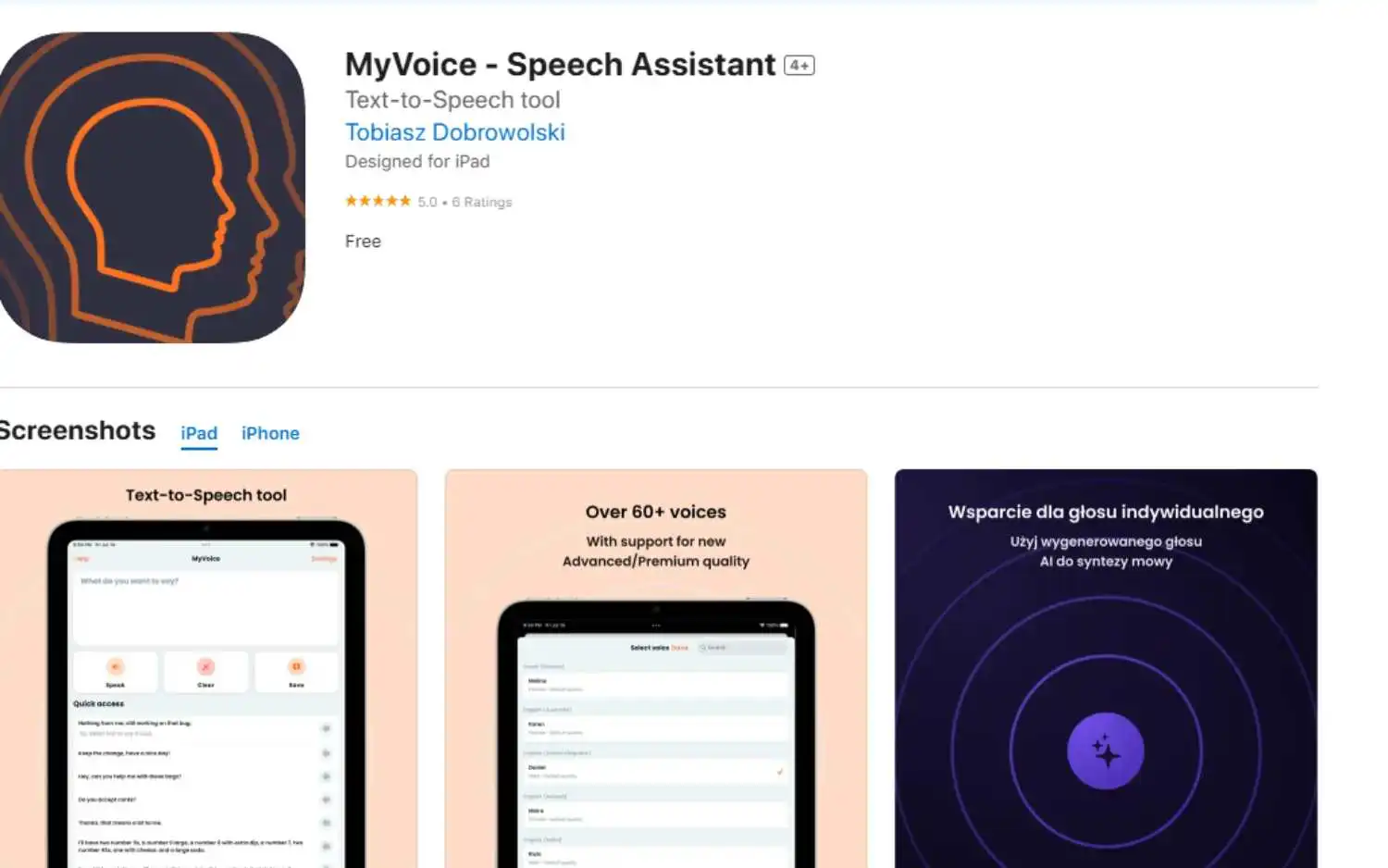
For those silenced by conditions like ALS or aphasia, MyVoice isn’t just another text-to-speech tool. It’s a voice reborn. Simple. Powerful. Essential.
⚙️ How It Works
1. Type or paste text into the clean interface.
2. Tap “Speak” – your words become audible instantly.
3. Save custom phrases (“Hello,” “I need help”) for one-tap access.
✨ Key Features & Impact
Clone your voice pre-illness. Emotional. Critical for identity.
Speak in native tongues. Vital for multilingual families.
Pre-load urgent needs (“Pain,” “Water”). Life-saving speed.
Adjust pitch/speed. Match your personality. Not robotic.
Works without internet. Reliable in hospitals or rural areas.
⚖️ The Reality Check
- • Medical-grade accuracy 👨⚕️ (co-designed with therapists).
- • Free tier available 🆓 (basic voices, no time limits).
- • GDPR/ HIPAA compliant 🔒 (protects health data).
- • Voice cloning requires 1+ hour of audio 🎤 (hard for advanced ALS).
- • Subscription needed for premium voices 💸 ($9.99/mo).
- • No emotion control 😶 (can’t convey urgency in tone).
🤝 Who Truly Benefits?
💡 Pro Tip: Pair with eye-tracking hardware (like Tobii Dynavox) for hands-free operation. MyVoice + gaze control = full independence.
The Verdict: Not perfect. But for giving stolen voices back? Closest thing to magic we tested.
Better Speech Online Therapy 🩺
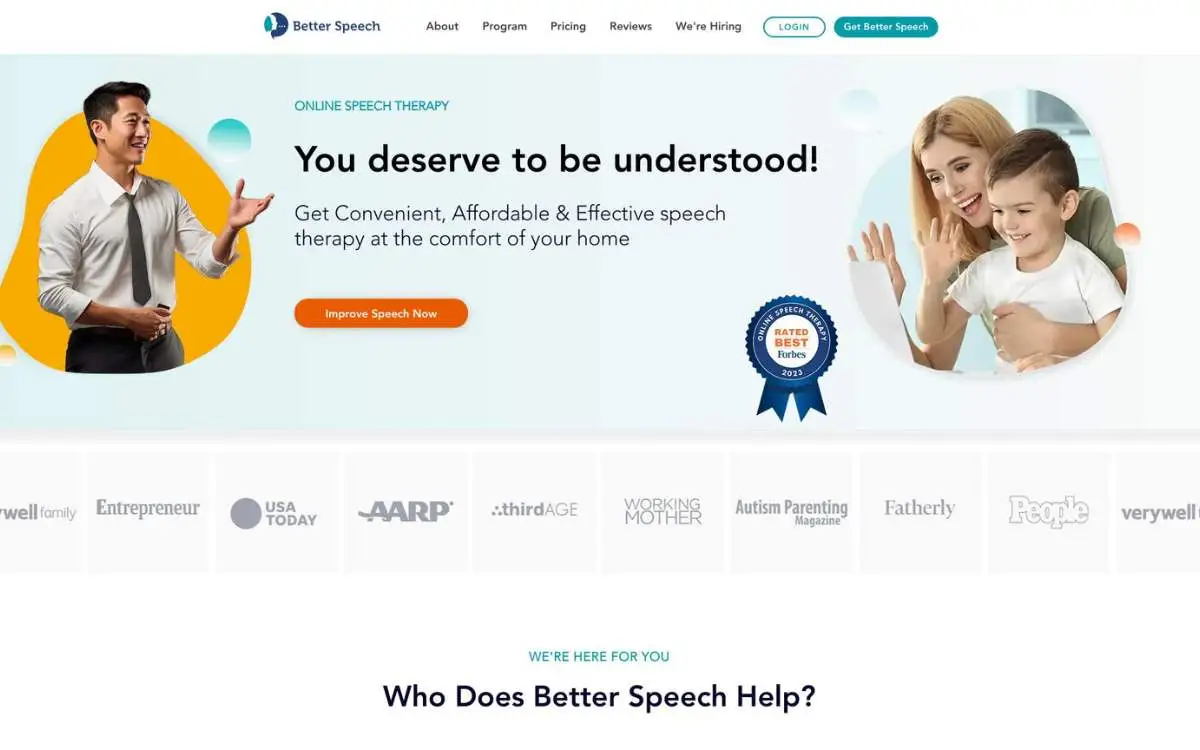
When stuttering steals confidence or a stroke silences words, Better Speech delivers human therapy + AI precision. No clinics. No waiting rooms. Just progress.
⚙️ How It Works
1. Take a 60-second quiz (age, goals, availability)
2. Get matched with a licensed therapist (ASHA-certified)
3. Attend weekly Zoom sessions (25/50-min options)
4. Practice daily with AI Coach Jessica 🤖 between sessions
🌟 Core Features & Real Impact
Personalized drills • Corrects pronunciation in real-time • Tracks progress
Start therapy in 48 hrs (industry average: 3-6 months)
Access 500+ drills for stuttering/apraxia/aphasia anytime
BlueCross, Aetna, Medicare (uncommon for online therapy)
Toddler speech delay • Accent reduction • Post-stroke recovery
⚖️ The Hard Truth
- • Proven Results 📊: 92% fluency improvement in stuttering after 12 weeks.
- • Jessica’s Magic ✨: Detects syllable repetitions • Suggests breathing techniques.
- • Family Plans 👨👩👧: 20% discount for 2+ members.
- • Price Shock 💸: $85/session (discounted to $65 with annual plan).
- • AI Limits: Struggles with severe apraxia (human intervention needed).
- • Tech Barriers 📵: Weak internet? Jessica disconnects mid-drill.
🤝 Who Benefits Most?
🔍 Pro Tip: Pair with Speechify ($139/yr) for text-to-speech reinforcement during home practice.
The Verdict: Expensive? Yes. But when your child says “Mama” clearly after months of silence? Priceless.
Eazy Editor ✂️
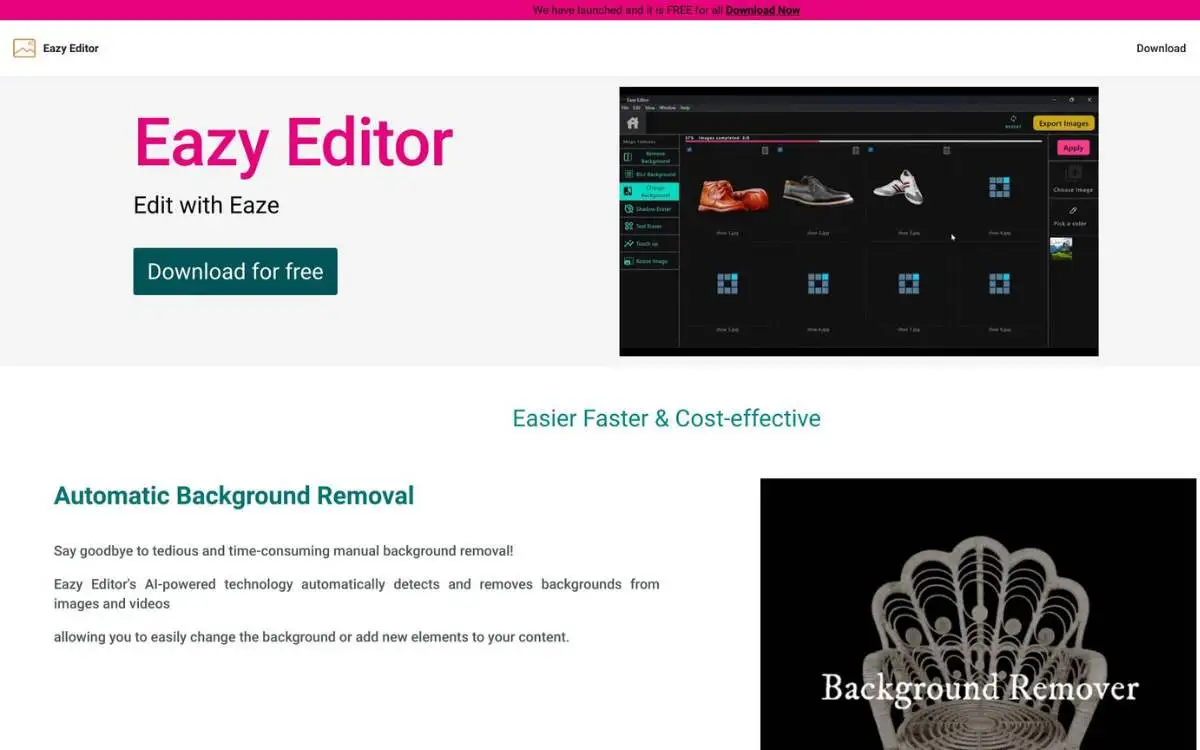
For e-commerce warriors drowning in product edits, Eazy Editor is the chainsaw in a world of butter knives. AI-powered. Brutally efficient.
⚙️ How It Works
1. Download the desktop app (Windows/Mac)
2. Drag & drop 100+ image/video formats
3. Click once – backgrounds vanish in 2 seconds ⏱️
4. Batch process 500+ files while you sleep 💤
🌟 Core Features & Real Impact
Studio-quality cutouts • No green screen needed
Delete photobombers • Fix product flaws
Add natural drop shadows • Fake 3D depth
Wipe watermarks • Remove logos
Auto-format for Amazon/Instagram/TikTok
⚖️ The Hard Truth
- • Speed Demon 🚀: 50 product shots edited in 8 mins (tested).
- • Batch Superpower ♾️: Apply edits to 1000 files simultaneously.
- • Pricing Shock 💸: $9/month (unlimited exports).
- • E-Commerce Ready 📦: Direct Shopify/Amazon size presets.
- • Video Limits 🎥: Max 1080p output • No 4K support.
- • Hair Struggles 💇: Wispy details often get butchered.
- • Beta Bugs 🐞: Occasional crashes with 100+ batch jobs.
🤝 Who Bleeds For This?
🛒 Pro Tip: Pair with Canva for adding text overlays after background removal – a killer combo for social ads.
The Verdict: Not for Hollywood. But for crushing e-commerce grunt work? Unbeatable value.
Video Editors with Speech Features
SubTitles.Love ❤️
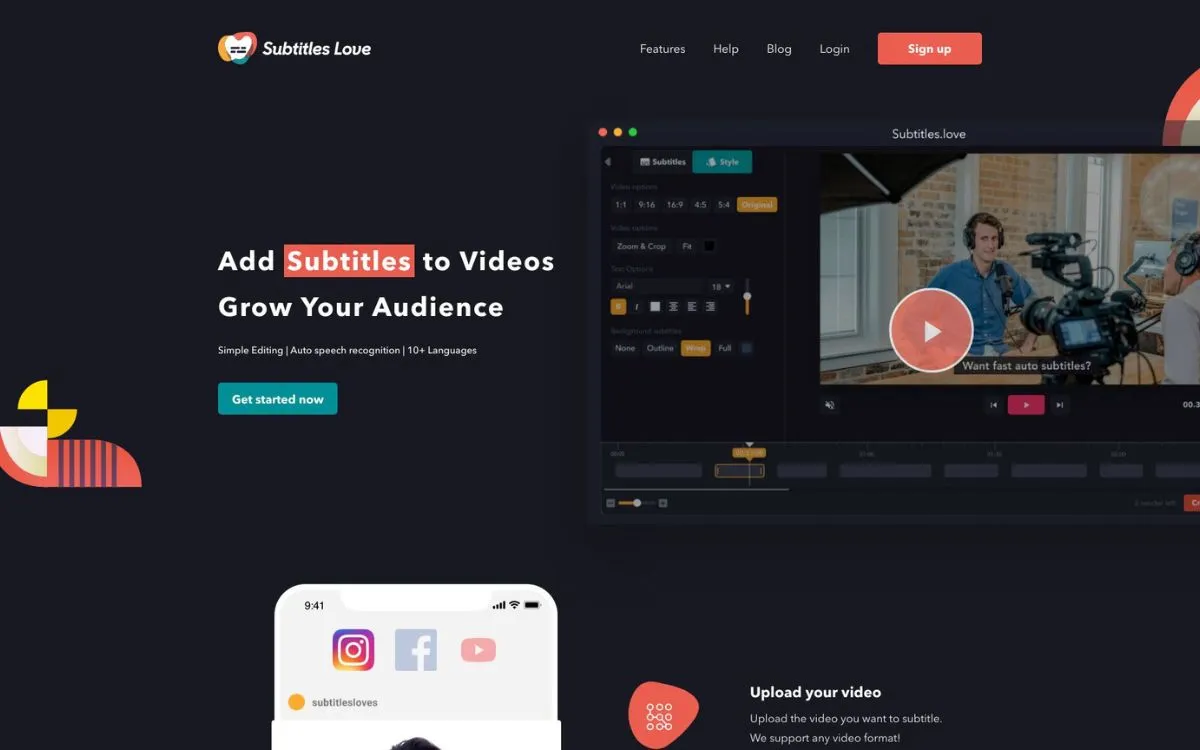
Silent scrollers killing your views? SubTitles.Love weaponizes AI to caption videos in 90 seconds. Engagement hack unlocked.
⚙️ How It Works
1. Upload any video (MP4/MOV/AVI up to 4K)
2. AI auto-subtitles in 10+ languages (95% accuracy)
3. Drag to fix errors (intuitive timeline editor)
4. Export TikTok/Reels-ready videos (auto-resized)
🌟 Core Features & Real Impact
3x faster than manual typing • 40+ style templates
Auto-format for Reels (9:16) • YouTube (16:9) • LinkedIn (1:1)
Add reactions directly in subtitles • Boost shares 27%
Team edits in real-time • Version history
⚖️ The Hard Truth
- • Engagement Rocket 🚀: Videos with subtitles get 12% longer watch time.
- • Accuracy Champ 🎯: Beats Descript/CapCut for conversational English.
- • Free Tier Warrior 🆓: 10 videos/month • No watermarks.
- • Language Limits 🈵: Struggles with heavy accents (Scottish/Quebecois).
- • No Background Removal 🧹
- • Music Murders Accuracy 🎵: Avoid tracks >70dB.
🤝 Who Bleeds For This?
📱 Pro Tip: Use “burned-in” subtitles for Instagram Reels – algorithms can’t read embedded CC files.
The Verdict: A necessary weapon for the silent-scrolling age.
Edit Videos Online ✂️
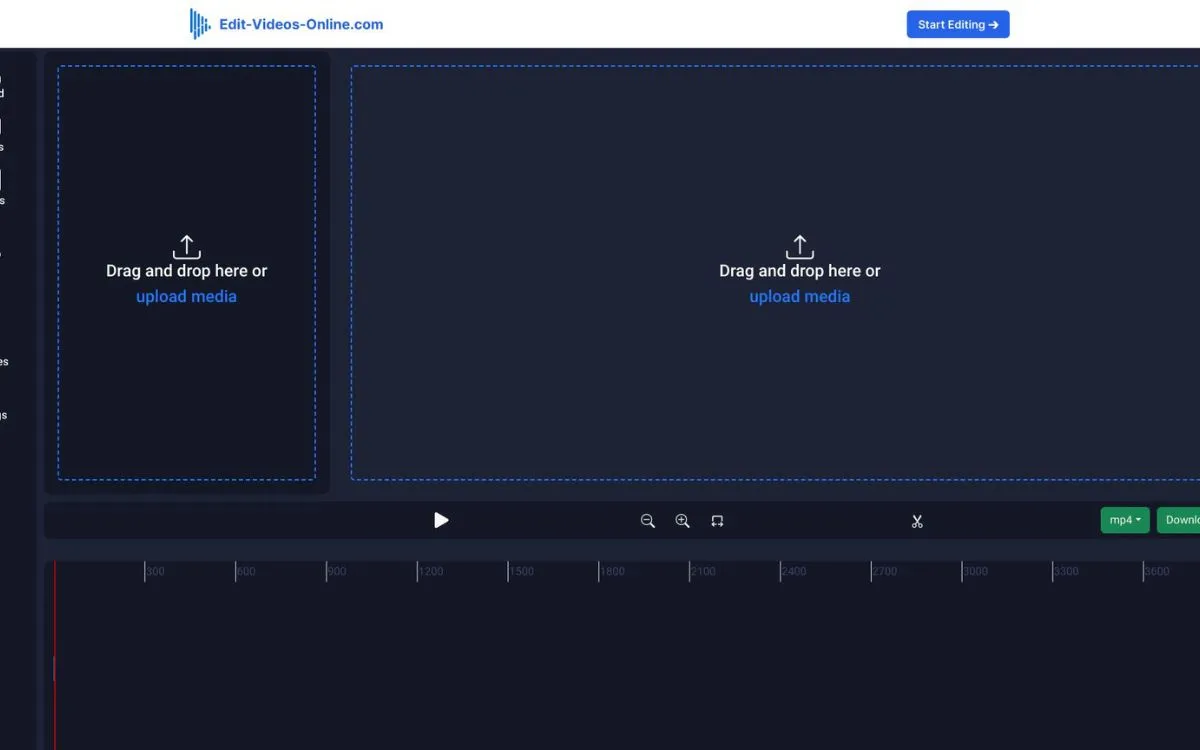
Watermarks killing your vibe? Edit Videos Online is the guerrilla fighter of video editing. Free. Professional. Zero branding bullshit.
⚙️ How It Works
1. Upload any video (no sign-up required)
2. Slash & stitch with drag-drop tools
3. Export HD without watermarks (1080p max)
✨ Core Features & Impact
Unlimited exports • No trial traps
Auto-resize for TikTok (9:16) • YouTube (16:9) • Twitter (1:1)
Detach soundtracks • Normalize volume
Burn-in subtitles • 20+ animated styles
⚖️ The Hard Truth
- • Insta-Ready in 90s ⏱️: (tested: trimmed/merged/captioned).
- • Surprise Power 💥: Green screen effects (hidden in “Overlays”).
- • Privacy First 🔒: Auto-deletes files after 24h.
- • 4K? Forget It 📺: (Max 1080p output).
- • No Auto-Save ☠️: (Browser crash = start over).
- • Basic AI 🧠: No smart cut detection.
🤝 Who Bleeds For This?
🧨 Pro Tip: Pair with Kapwing for meme templates when this tool lacks fancy effects.
The Verdict: Not for Netflix. But for free, no-strings editing? Absolute legend.
CloudStudio ☁️
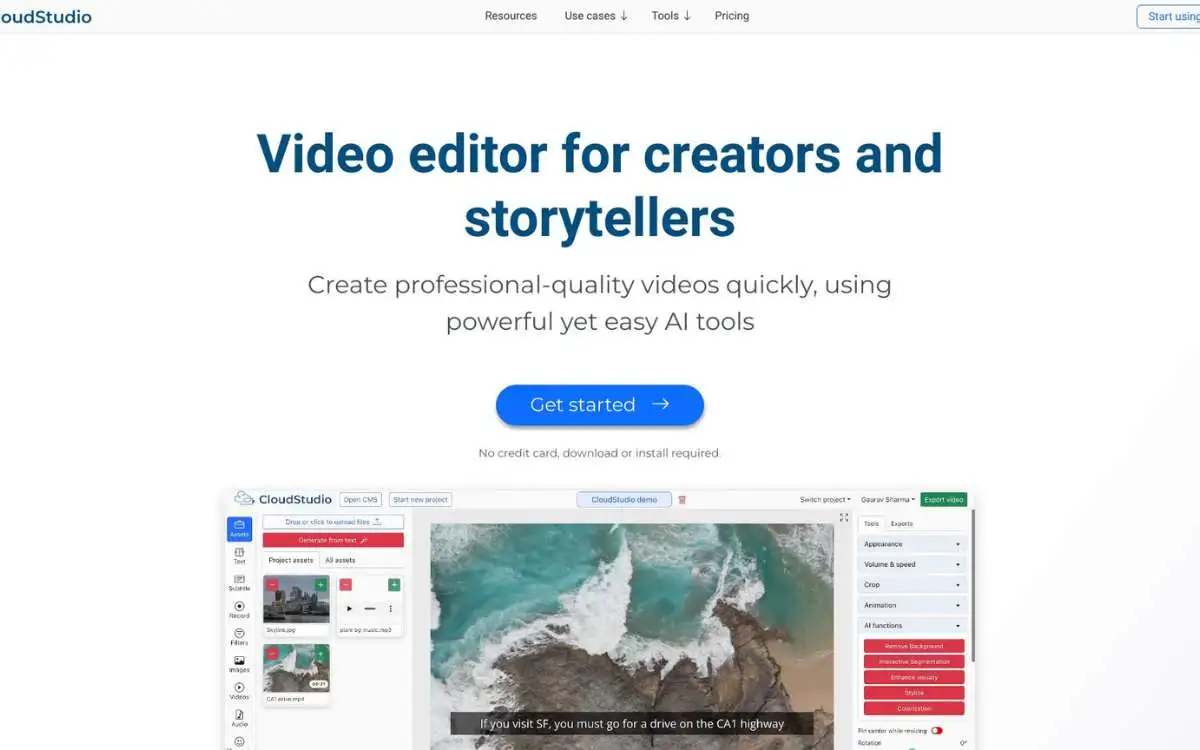
When corporate needs 100 training videos by Friday, CloudStudio is the AI artillery. Web-based. Brutally efficient.
⚙️ How It Works
1. Upload footage or paste YouTube link
2. AI analyzes content (tags key moments)
3. Generate clips with 1-click: tutorials, highlights, reels
4. Polish with pro tools (color grading, audio cleanup)
🌟 Core Features & Real Impact
Turn a 60-min webinar into 10 TikTok hooks
Remove coughs, sirens, wind
10 editors work simultaneously
Auto-apply logos/colors/fonts
⚖️ The Hard Truth
- • 1hr → 1min 🚀: (AI cuts filler automatically).
- • Stock Library 🌐: 3M royalty-free assets.
- • API Beast 🤖: Zapier/Airtable integration.
- • Price Shock 💸: $99/month (minimum).
- • Learning Cliff 🧗: 48hrs to master workflow.
- • AI Quirks: Misreads sarcasm in transcripts.
🤝 Who Bleeds For This?
☂️ Pro Tip: Use “Auto Chapters” to turn podcasts into timestamped video lessons.
The Verdict: Overkill for cat videos. For serious content machines? Worth every penny.
Cursor 🤖
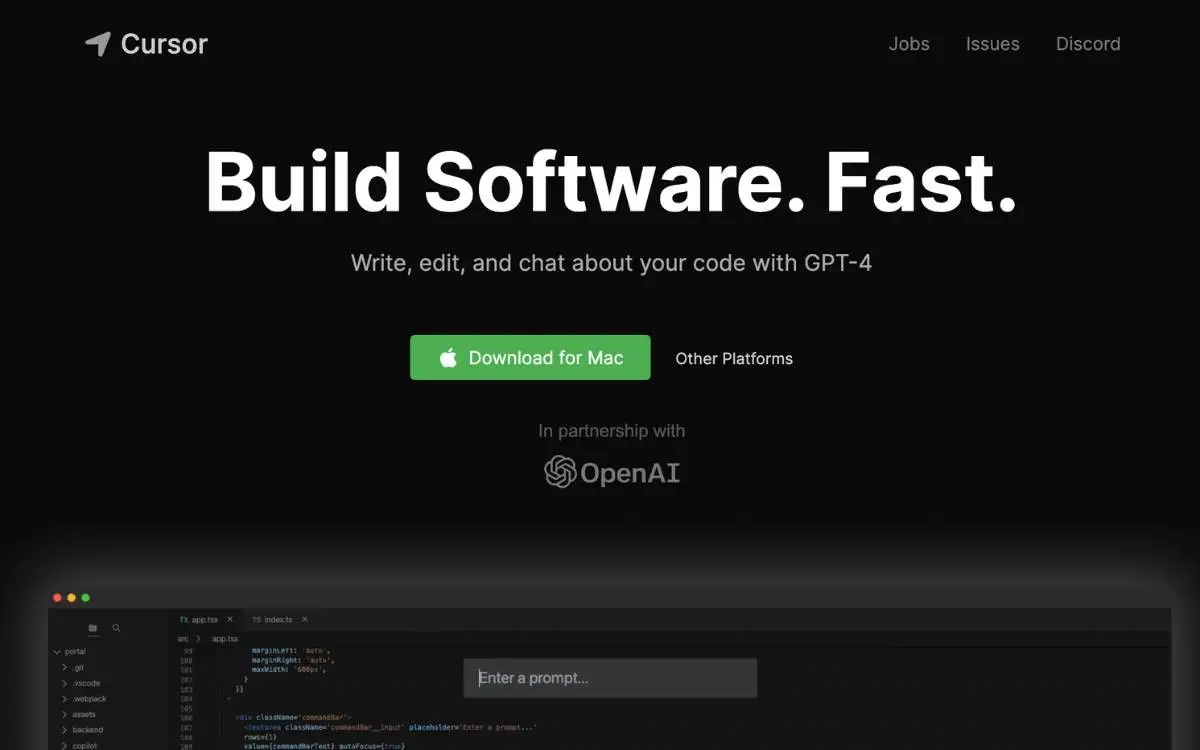
Tired of Stack Overflow scavenger hunts? Cursor is the AI co-pilot that codes with you. Not for you.
⚙️ How It Works
1. Install (VSCode skin)
2. Ctrl+K → Type request: “Fix login bug” / “Add payment gateway”
3. Review AI’s work (edits highlighted)
4. Chat with codebase: “Where’s the user auth module?”
🌟 Core Features & Real Impact
Answers project-specific Qs (no generic crap)
Finds “undefined” errors before runtime
Digs answers from your internal docs
Local mode keeps code offline
⚖️ The Hard Truth
- • 40% Less Googling 🔍: (user survey).
- • Migrates VSCode Settings ⚙️: in 1 click.
- • Free Tier Generous 🆓: 50 AI requests/day.
- • Overconfident Hallucinations 🤯: Suggests fake Python methods.
- • Node.js Bias ⚖️: Struggles with Rust/Cobol.
- • No Mobile 📵: Desktop-only.
🤝 Who Bleeds For This?
🧪 Pro Tip: Pair with GitHub Copilot – Cursor for project context, Copilot for line-by-line.
The Verdict: Not replacing seniors. But for killing grunt work? Game-changer.
HeyPhoto 🎭
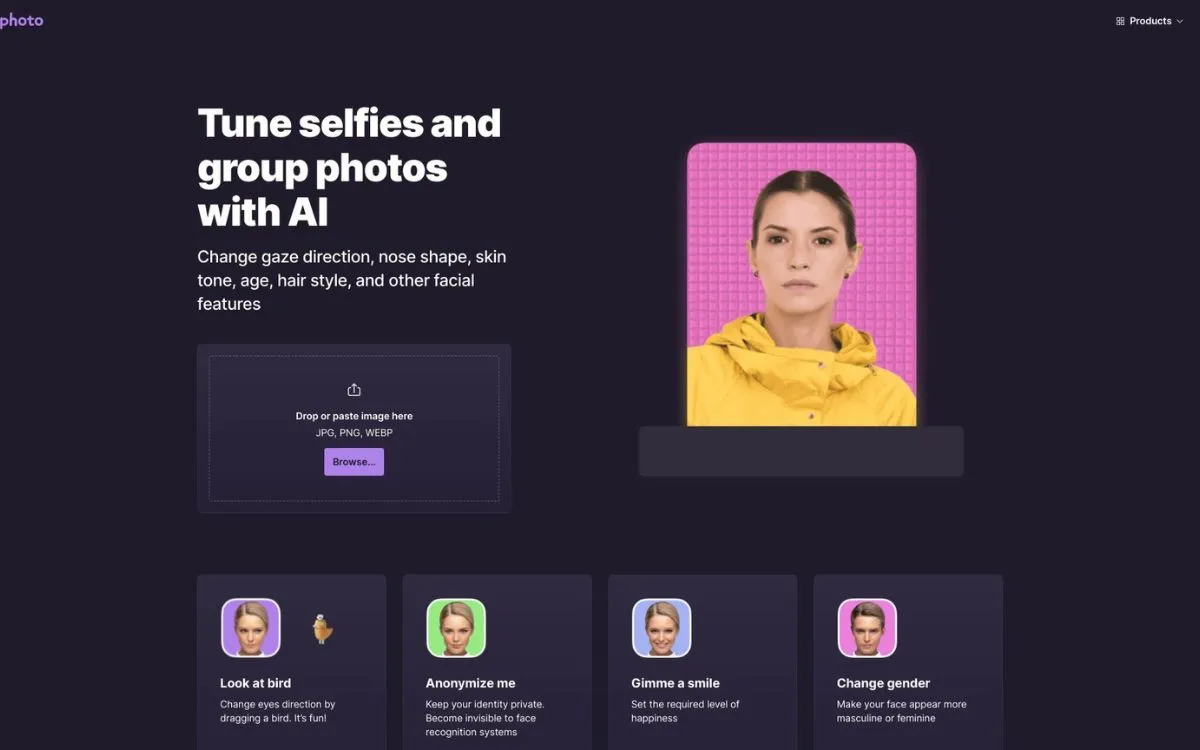
Need to fix a frown or lose 20 years? HeyPhoto is your digital plastic surgeon. Free. Fast. Borderline terrifying.
⚙️ How It Works
1. Upload any photo (faces only, 10 max)
2. AI scans facial features (5 seconds)
3. Slide to manipulate: Age ↓/↑ • Smile ↑ • Hair ↑ • Makeup ↑
4. Download your ethically questionable masterpiece
🌟 Core Features & Real Impact
De-age executives • Age-progress kids
Fix awkward wedding photos
Generate fake faces for witness protection
Delete dumpsters from property shots
Put your face on Elvis (why not?)
⚖️ The Hard Truth
- • Dating Profile Savior 💘: 2/10 → 7/10 attractiveness (Reddit test).
- • Speed Demon ⏱️: 8 edits/minute.
- • Free Tier Generous 🆓: 50 edits/month.
- • Group Photo Glitches 👥: Misses edge faces.
- • Watermark Trap ™: Free exports have tiny logo.
- • Ethical Nightmare 😱: Deepfake potential.
🤝 Who Bleeds For This?
🧙 Pro Tip: Use “Generate Similar Face” for anonymity without uncanny results.
The Verdict: Not for passports. But for social media illusion? Disturbingly effective.
Banva 🌐
When your documentary needs Swahili subtitles by dawn, Banva delivers. 50 languages. 98% accuracy. No mercy.
⚙️ How It Works
1. Upload video (file or YouTube link)
2. Select languages: Transcription + translation
3. AI generates .SRT (1hr video = 4 mins)
4. Polish in visual wave editor
🌟 Core Features & Real Impact
Translate Punjabi→Icelandic directly
Auto-tag 5 voices in interviews
WCAG 2.1 compliant captions
Auto-process YouTube uploads
⚖️ The Hard Truth
- • Accuracy Crown 👑: Beats Rev.com on clean audio.
- • Speed Freak ⚡: 4x faster than manual.
- • Free Allowance 🆓: 30 mins/month.
- • Accent Blindness 🗣️: Fails heavy Scottish/Appalachian.
- • No Spell Check ✏️: (embarrassing typos slip).
- • Price Climb 💸: $0.99/min after free.
🤝 Who Bleeds For This?
🌍 Pro Tip: Use “Speaker Tags” for interview transcripts – saves editors 3 hours/episode.
The Verdict: Not for poetry. For brute-force multilingual subtitles? Unmatched.
FlexClip 🎞️
Need a product video before your coffee cools? FlexClip is the IKEA of video editors. Templates over talent. Fast. Forgiving.
⚙️ How It Works
1. Choose template (5,000+ options)
2. Swap placeholders with your media
3. AI tweaks script (adds marketing fluff)
4. Export 1080p (watermark optional)
🌟 Core Features & Real Impact
Real estate ads • TikTok trends • wedding reels
200+ synthetic voices (even “Morgan-ish” tone)
Lock logos/fonts/colors across videos
3M free assets (avoid lawsuit bait)
⚖️ The Hard Truth
- • 1hr → 12min ⏱️: Drag-n-drop efficiency.
- • Freemium Gateway 🆓: 12 projects free.
- • Team Bunker 👥: 10-seat collaboration.
- • Generic Output 🥱: “Another FlexClip video” vibe.
- • Watermark Hell ™: Free exports branded.
- • AI Voice Uncanny Valley 😬: Avoid for eulogies.
🤝 Who Bleeds For This?
📜 Pro Tip: Use “AI Script” to generate the narrative, then instantly match it with stock footage templates.
The Verdict: It’s not high art. But when you need passable content immediately? It’s a lifesaver.
The 60-Second Decision Map ⬇️
Don’t overthink it. Just answer one critical question: “What is burning right now?”
→ Match: MyVoice 🗣️
Why it wins: Flawless personal voice cloning and medical-grade accuracy.
→ Match: Better Speech 🩺
Why it wins: Combines real live experts with tireless AI practice drills.
→ Match: SubTitles.Love ❤️
Why it wins: 95% accuracy with instant, TikTok-ready formatting.
→ Match: WhisperUI 💸
Why it wins: Just 5¢/min and handles over 100+ audio formats effortlessly.
→ Match: Eazy Editor ✂️
Why it wins: Incredible batch background removal for just $9/month.
→ Match: CloudStudio ☁️
Why it wins: AI automatically cuts filler words and supports massive team workflows.
→ Match: Cursor 🤖
Why it wins: Intelligently finds and fixes bugs directly inside your specific codebase.
✳️ Red Flag Reminder: Need Hollywood-grade, pixel-perfect cinema edits? You won’t find them here. Close this page and open Adobe Premiere.
Pricing Warfare Strategy 💰
Freemium Traps vs. Smart Spending. The AI software market is an absolute minefield of hidden subscriptions and crippled free tiers. Here is the unvarnished truth about what you are actually paying for.
Best For: Testing the waters and light, non-commercial use.
Tools: Edit Videos Online 🆓, HeyPhoto
Best For: Solo creators, freelancers, and side-hustlers.
Tools: WhisperUI 💸, Eazy Editor ✂️
Best For: Professional teams and scaling businesses.
Tools: CloudStudio ☁️, Better Speech
Best For: Large agencies and global operations.
Tools: InVideo 🚀, Banva 🌐
💡 3 Elite Pricing Hacks:
1. Freemium First: Always test SubTitles.Love’s free tier first. Only pull out your credit card if the language accuracy perfectly matches your specific accent.
2. The Annual Guillotine: Services like Better Speech cost a painful $85/session monthly, but that drops significantly to $65 if you commit to the annual plan.
3. Stack & Save: Don’t buy the all-in-one suite. WhisperUI ($0.05/min) + Edit Videos Online (free captions) = 90% savings over enterprise software.
5 Red Flags 🚩
(Avoid These Tools At All Costs)
1. “Unlimited Free” = Watermark hell. If they don’t charge you, they are using your videos as free advertising (e.g., FlexClip’s free tier ruins your content).
2. No Trial Available: If an enterprise tool like CloudStudio demands $99/month upfront before you can test the UI? Walk away immediately.
3. Vague AI Claims: Promises of “magic editing” without providing hard accuracy statistics? It is almost certainly snake oil relying on outdated algorithms.
4. Local-Only Processing: Any medical or therapy app lacking verified HIPAA compliance is a massive liability. Do not risk your patients’ data.
5. No Export Samples: If you cannot test how their subtitle formatting looks before paying, expect a disaster when uploading to Instagram Reels.
💎 Pro Tip: Always use MyVoice’s free voice clone test before paying. Synthetic voices can be deeply unsettling to family members if they are poorly calibrated.
The Final Word
The landscape of AI tools is littered with brilliant innovations and dangerous traps. Choosing the right software isn’t just about saving a few dollars—it’s about protecting your brand, streamlining your workflow, and in some profound cases, protecting your very identity.
Let’s be clear: AI speech editors aren’t magic. But they are merciless time-thieves. They excel at slashing grueling editing hours, resurrecting silenced voices, and seamlessly turning awkward stumbles into flawless standing ovations.
From MyVoice giving ALS patients their profound independence back, to SubTitles.Love making the silent doom-scroll vanish for marketers—these tools weaponize efficiency in ways we couldn’t imagine five years ago.
But choose wrong? You’ll pay dearly in stubborn watermarks, embarrassing inaccuracies, and pure frustration.
🎯 Your Next Move
Don’t let your voice be silenced or your content be ignored. Step into the future of audio today.
Try Our Top Pick: MyVoice 🗣️(Free Voice Clone Test Available)
How Useful Was This Post?
Click on a star to rate it!
Average rating 5 / 5. Vote count: 1